Overview
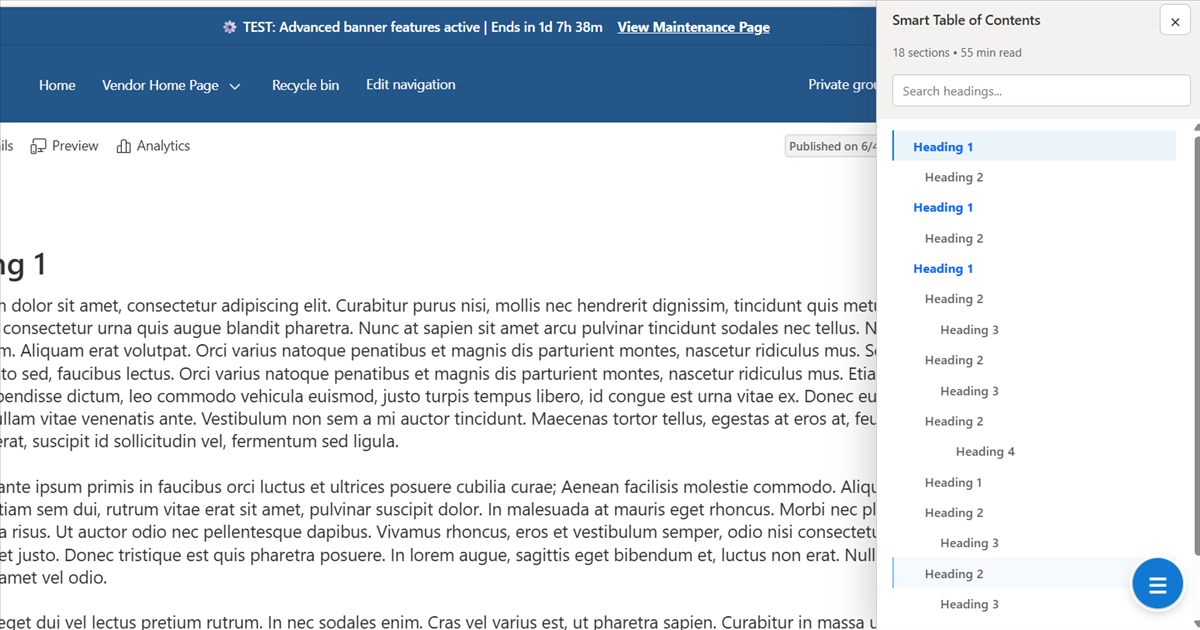
Smart Table of Contents scans headings on modern SharePoint pages and builds a synchronized navigation experience around the page structure. It supports inline presentation and a floating right-side drawer, allowing long documentation and knowledge pages to remain navigable without manually maintaining anchor lists.
Publication evidence: the complete sample is published in the public
pnp/sp-dev-fx-webparts repository and names Jonathan R. Adcox as its author. Microsoft 365 & Power Platform Community samples are community contributions maintained through the Microsoft PnP ecosystem.ChallengeLong SharePoint pages become difficult to scan, navigate, and maintain as their heading structure changes.
SolutionDetect the live heading hierarchy and generate searchable, ScrollSpy-aware navigation automatically.
ResultA reusable SPFx web part accepted into the public Microsoft PnP community samples repository.
Interface evidence
Processing flow
DiscoverScan modern-page heading markup
ModelBuild the nested heading hierarchy
ObserveTrack the active section while scrolling
NavigateSearch and smooth-scroll to content
Capability contract
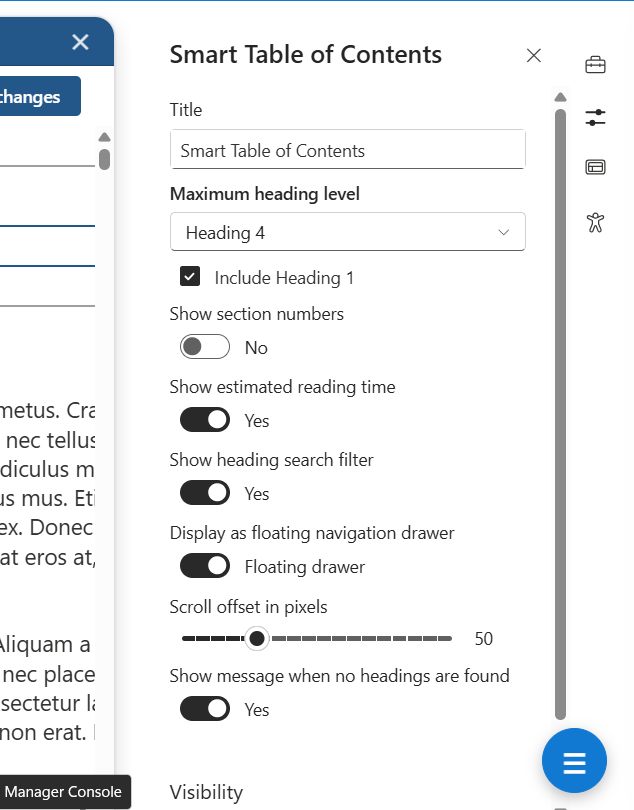
HeadingsConfigurable detection from Heading 1 through Heading 4
PresentationInline web part or responsive floating navigation drawer
NavigationScrollSpy highlighting, nested expansion, smooth scrolling, and configurable offset
DiscoveryLive heading search with section count and estimated reading time
HydrationAutomatic refresh accommodates delayed SharePoint page content
URL behaviorNavigation does not rewrite the browser URL hash
Engineering decisions
- Use standard SharePoint heading markup as the source of truth rather than duplicating navigation configuration.
- Support both embedded and floating experiences from one web part.
- Contain drawer scrolling and layering so navigation remains usable on long pages.
- Refresh after delayed modern-page hydration instead of assuming all headings exist at initial render.
- Expose accessibility and usability controls through the SharePoint property pane.
What this project demonstrates
- Designing a reusable SharePoint component around real documentation and knowledge-management needs.
- Working with SPFx page lifecycle behavior, dynamic content hydration, and browser observation.
- Building responsive navigation with search, nested hierarchy, and active-section state.
- Preparing, documenting, and publishing production-quality work through the Microsoft PnP community contribution process.