Overview
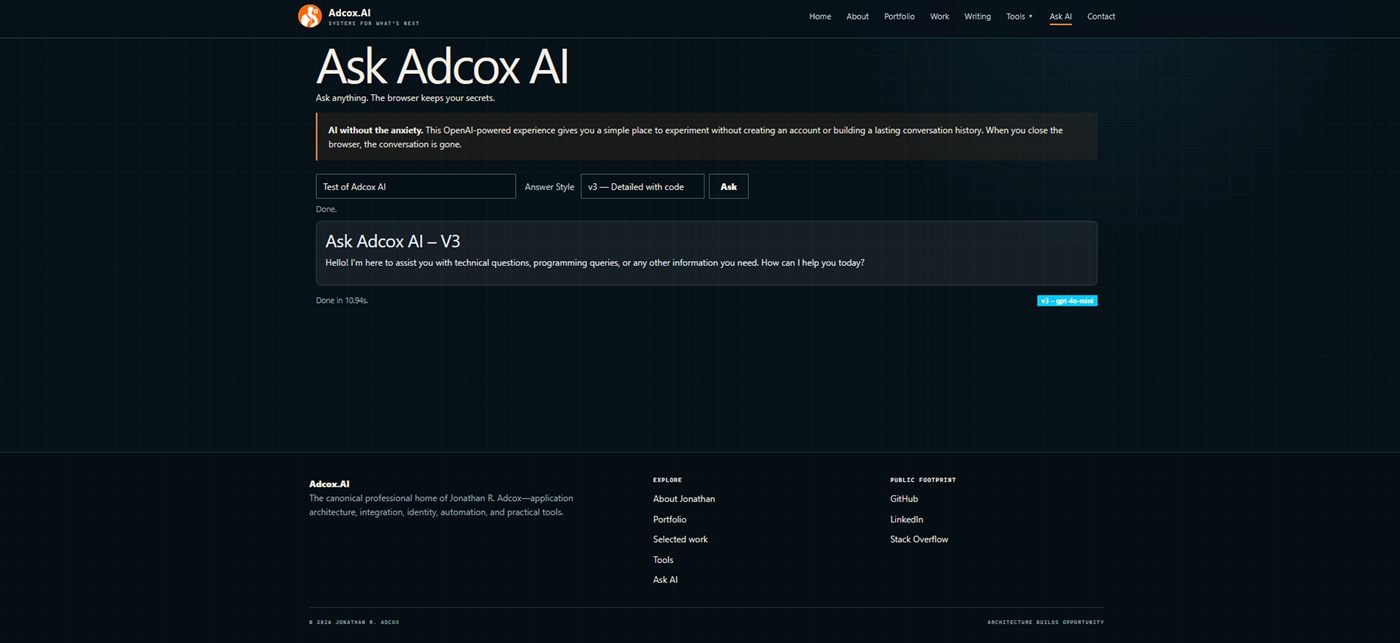
The application provides concise, step-by-step, and detailed-with-code response modes through a small browser interface. Requests are sent to an Appwrite function, while responses are rendered as readable Markdown with syntax highlighting.
Privacy boundary: the interface does not require an account and does not build a persistent conversation history in the browser. Prompts are still sent to the configured AI service to generate a response.
Challenge
Make an AI utility approachable without accounts, persistent chat history, or a heavy application shell.
Solution
Combine explicit response modes with a serverless API boundary and defensive Markdown rendering.
Result
A focused, responsive tool demonstrating product thinking, integration design, and secure frontend delivery.
Configuration and API contract
The browser client is deliberately configuration-light. A version selector maps each answer style to the Appwrite function endpoint, allowing the presentation layer to change response behavior without exposing credentials or embedding provider logic in the page.
Concise mode
Short, direct answers for quick questions.
Step-by-step mode
Structured explanations for guided troubleshooting.
Detailed mode
Expanded technical responses with rendered code.
Session model
No account and no persistent browser conversation history.
Transport
HTTPS POST to an Appwrite function
Request
JSON payload containing the prompt and selected response version
Accept
text/markdown
Response
Markdown body plus optional x-model response metadata
Rendering
Marked conversion, DOMPurify sanitization, and Prism syntax highlighting
Feedback
Loading state, HTTP error handling, elapsed time, version, and model display
Sanitized request example
No credentials or provider secrets are sent by the browser.
POST /v1/functions/{response-mode}/executions
Accept: text/markdown
Content-Type: application/json

{
  "prompt": "Explain a PowerShell function",
  "version": "detailed-with-code"
}
Architecture
Prompt
Browser form and answer-style selection
Function
Appwrite request endpoint
Model
OpenAI response generation
View
Sanitized Markdown and Prism highlighting
Request lifecycle
1 · Capture
Prompt + mode
2 · Invoke
Serverless POST
3 · Generate
Model response
4 · Render
Sanitize + highlight
Interface states
What this project demonstrates
- Designing a small AI product around a clear user promise instead of exposing raw model complexity.
- Separating browser presentation, serverless orchestration, and model execution into understandable boundaries.
- Handling generated content defensively before inserting it into the document.
- Building useful operational feedback through loading, latency, model, and failure-state visibility.
- Maintaining a lightweight, crawlable site experience without adopting an unnecessary application framework.
Engineering decisions
- Keep the interaction account-free and intentionally session-oriented.
- Offer explicit response modes instead of hiding the output style behind one generic prompt.
- Sanitize generated HTML with DOMPurify before inserting it into the page.
- Expose latency and model metadata alongside completed responses.